CalendarSee bills, subscriptions and installments by date.

Your money. Your plans.
AniBudget Plan smarter. Live easier.
A simple money planner that brings your salary, bills, subscriptions, installments, goals, calendar and spending overview together in one place.
✓Free to use
◈Private account
○No payment needed
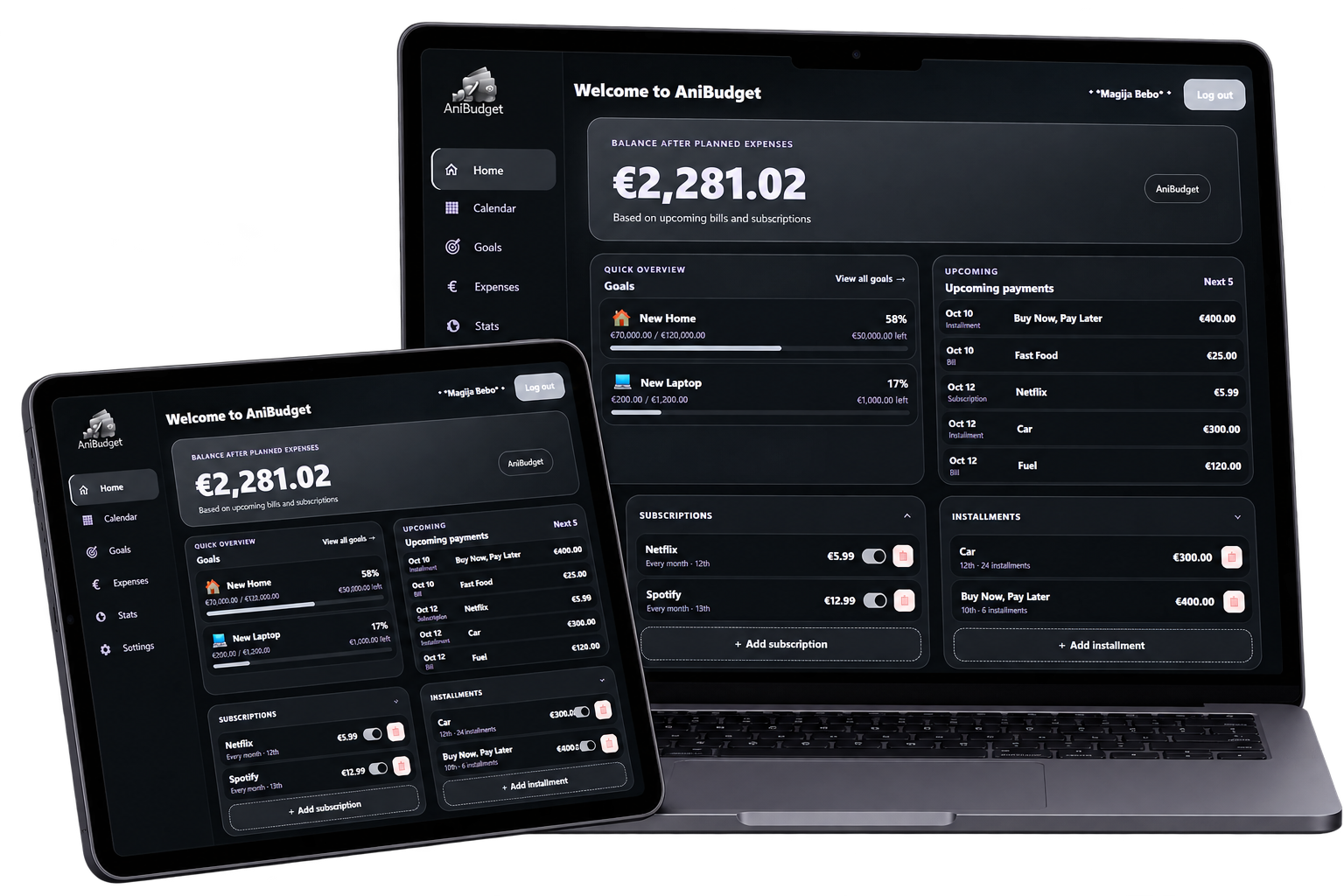
Income & expensesKeep salary, bills, subscriptions and spending together.
StatsUnderstand where your money goes with a clear overview.
Savings goalsCreate goals, track progress and see what is left to save.
Why I created AniBudget
Hi, I'm Ani! I'm a student, and I created AniBudget to help young people, families, and anyone who wants a better overview of their money.
When I received my first salary, I was like: WOW! But by my third or fourth salary, I realised I wasn't really sure how much money I had left. I had bills, instalments, and subscriptions to keep track of, and my financial information was spread across different places — my PC, phone, and tablet. I also had to calculate everything myself, which made it easy to lose track of my spending.
That's where the idea for AniBudget came from: one website where everything is organised in one place and calculations are done for you. I wanted to make managing money simpler, clearer, and less stressful, so you can spend less time doing maths and more time focusing on your life.
Everything you need for a clearer money overview.
Salary & paydayAdd your monthly salary and payday so your planning starts from the right place.
PaymentsManage bills, subscriptions and installments with paid and unpaid status.
GoalsSet a target, add your saved amount and automatically see progress and what is left.
StatsSee your spending categories and get a clearer picture of your money.
CalendarKnow exactly when payments are coming.
SettingsChoose language, currency and your preferred app theme.
Responsive web appUse AniBudget on PC, tablet or phone.
RemindersPlan for upcoming payments instead of remembering everything yourself.
Web first. Mobile apps next.
AniBudget is currently available as a web app. You can open it from your browser on a PC, tablet or phone.
Coming soon: dedicated AniBudget apps for the App Store and Google Play Store, so you can have an even more convenient mobile experience.
Want to see how AniBudget looks first?
Tap Dashboard at the top. You can explore the app layout without signing in. The preview is read-only, so nothing can be changed or saved until you sign in.
FAQ
Questions you might have.
Is AniBudget free?
Yes. AniBudget is currently free to use as a web app. There is no payment needed to create an account.
Do I have to sign in?
You can open the Dashboard preview without signing in, but it is read-only. To add and save your own data, you need to sign in.
What can I track?
You can plan your salary, bills, subscriptions and installments, use the calendar, track paid and unpaid payments, create savings goals and view spending statistics.
Can I use AniBudget on my phone or tablet?
Yes. AniBudget is a responsive web app, so you can use it from a PC, tablet or phone browser.
Are the mobile apps already available?
Not yet. The web app is available now. Dedicated apps for the App Store and Google Play Store are planned for a future release.
Can I change my salary and payday?
Yes. Salary and payday can be configured in Settings, so your planning can match your real payment schedule.
Can I create savings goals?
Yes. You can choose an icon, name your goal, enter the target amount and current savings, and AniBudget calculates the progress and the amount still needed.
Can I use the Dashboard without an account?
Yes. The Dashboard preview is designed so visitors can see how the website works before signing in. It is intentionally read-only.
Ready to take control?
Start planning your money with AniBudget.